


| QUICK LINKS | |
| FILE FORMATS & GENERAL GUIDELINES | PRICING: HOW IT WORKS |
| DOCUMENT SIZE + BORDERS | MEDIA WE STOCK |
| FREE TEST PRINTS | CUSTOMER SUPPLIED MEDIA |
| TURNAROUND TIMES | |
Wide format inkjet printing offers the highest resolution, color accuracy, archival properties and large print sizes (Up to 43″ printable width).
Use for high quality prints, posters, artwork reproduction, photography, oversize book covers, or anything else where the highest quality or larger print sizes are needed.
We currently use Epson Surecolor P9000 44″ Wide Format Inkjet printers that print from large rolls (maximum printable width is listed when ordering, will vary based on media).
Wide format inkjet prints are ready within 3 business days. Rush options are available when ordering to guarantee a faster turnaround time but most orders are ready within 1-2 days.
REQUIRED FILE FORMATS & GENERAL GUIDELINES
-
File Format: PDF or TIFF (TIF is preferred, use LZW compression only)
-
Mode: RGB, 8 Bit
-
Color Profile: Adobe RGB (1998)
-
Resolution: maximum is 300dpi, minimum recommended is 180dpi
-
Files should be Flattened with NO Alpha Channels
-
The size you enter online should be the exact size your file is set up to digitally – we will not adjust or scale file sizes
-
Borders (if desired) must be added to the file itself as white space – if your digital file size doesn’t match your requested print size your order will be put on Hold
- Free Test Strips are available, this option must be selected when ordering. Test prints are a cropped section of your full file and are sized at roughly 6×23″
-
Max File Size (MB) for Digital Storefront: 400mb
There is a 400MB file limit when uploading. Please make sure your file is flattened, is 8 bit and is at the most 300dpi. We can accept files with at least 180dpi for especially large files.
If you need to upload a file larger than 400MB, please use the OTHER option in DSF and copy and paste a Google Drive link into the text window.
DOCUMENT SIZE + BORDERS
The document you upload should be the exact size digitally you intend it to be printed physically. Your file will be printed with crops marks & a filename label on a larger piece of paper. You will always have to cut the print to your desired final size.
- We do not scale files and will ask you to resend files that don’t match the order form.
- Multiple files can be loaded onto the Digital Storefront order form as long as the size and media are the same.
- If you have multiple sizes or media types you will need to add them to your cart separately, this will make sure the order is priced correctly
- You can choose to have ‘No Marks or Label’ when ordering
- If multiple files are sent they may be printed on one large sheet, depending on file size.
- If you intend to mount or stretch your print, we recommend adding extra bleed to your image. Due to variations in paper thickness that affect roll feeding, the image size of your print may vary up to 1/4″.
- We will roll your print in butcher paper until it is ready for pick up.
- Upon request we can add a layer of acid-free glassine to provide further protection for the print.
- The Service Bureau does not offer cutting of any sort for Wide Format Printing. We can checkout larger rulers and explain best practices for cutting to help you in the process
FREE TEST PRINTS
Free test prints are available, this option MUST be selected in the Digital Storefront when ordering. Test prints are ready within 2 business days of order submission. You will be emailed when the test print is ready to be picked up. You then must email us back to either approve the full final print to be printed, cancel the order, or attach a new file for a new test print.
- Test prints are cropped from your full image, roughly 3-6″wide x 23″ tall.
- The size of the desired final print needs to be entered for each order so after viewing the test strip if you do to proceed with the final prints you will know the full order price.
- If you submit orders for test prints on more than 2 medias each additional test print will take one business day longer.
- There is no charge for the first test strip. We offer free test strips as a way to make this more expensive printer more accessible and easier to try out. We are happy to print a couple of test prints per order but if we feel this privilege is being abused you will need to pay for any additional test prints, this is at the discretion of the technicians.
Please be sure to read our Policies and Guidelines + Reprint Policy.
TURNAROUND TIMES
2 business days – Test Prints
3 business days – Standard turnaround time, no additional cost is incurred.
2 business days – +50% of total cost applied.
1 business day – +100% of total cost applied.
- Turnaround times are in business days and do not include weekends or holidays.
- If you submit orders for test strips on more than 2 medias each additional test strip will take one business day longer.
PRICING
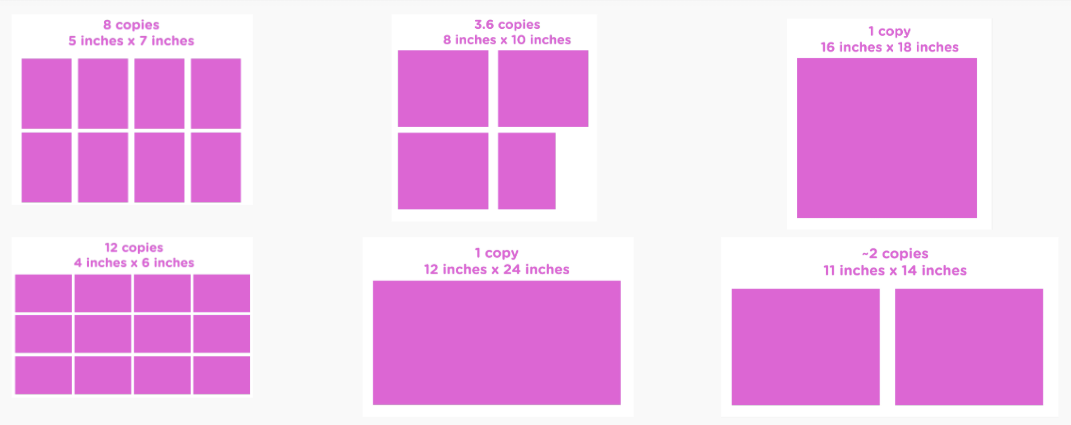
You are charged for the total area, or square feet (L x W/144) of your print. There is a 2 square foot pricing minimum on all inkjet orders (cheapest media is $4.50 per square foot so the minimum order cost is $9). If your print is smaller than 2 sq ft you can often change the quantity to get the best deal.
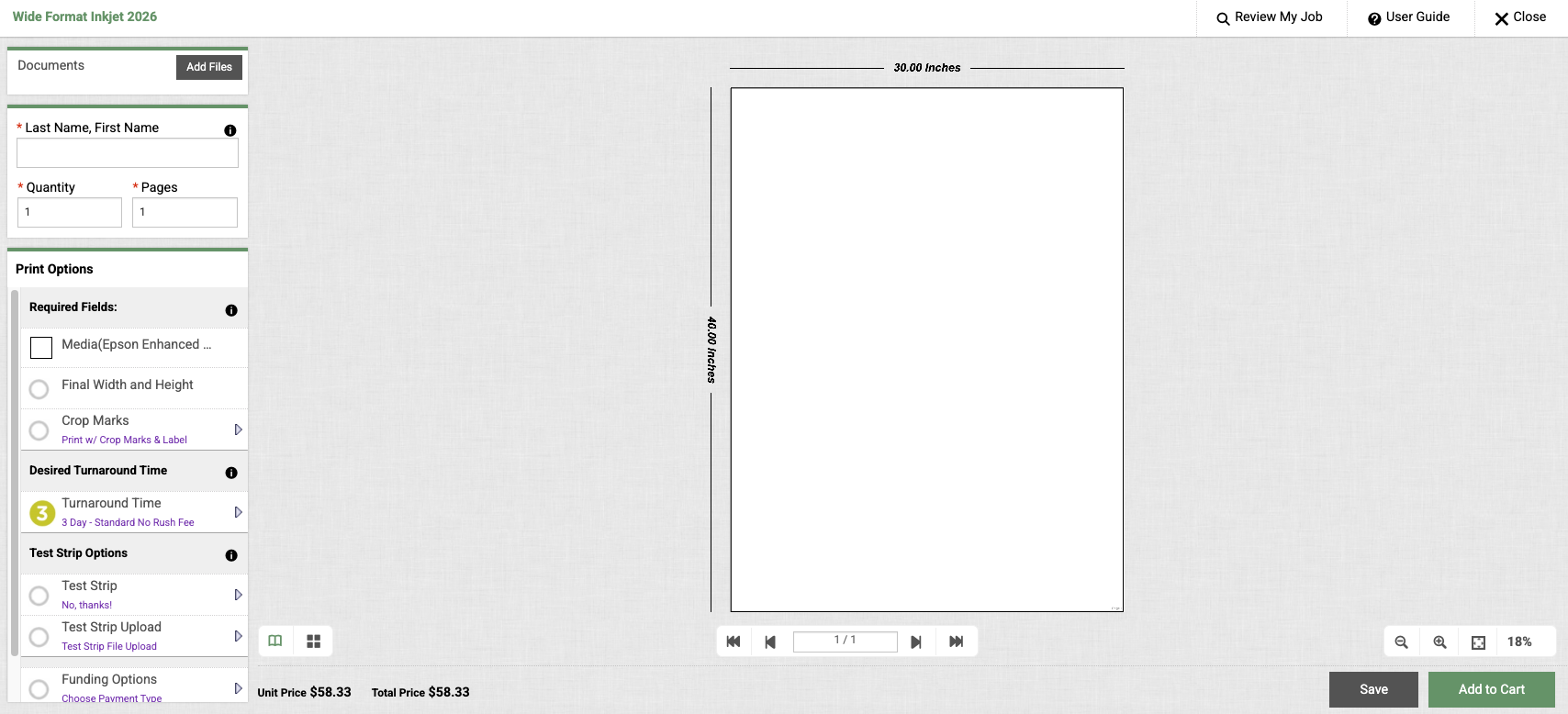
To Get a Quote – Enter the Quantity (# of copies), Print Size (LxW), and Paper Type in the Digital Storefront, at the bottom of the window the price will be displayed. To complete the order you will need to upload your file and add your name. Items can be ‘Added to Your Cart’ or ‘Saved for Later’ depending on when you want to submit the order.
MEDIA WE STOCK
A full list of wide format inkjet papers and specs for each media are available on our Media We Stock page.
Not all media are the same roll size so you will notice in DSF there will be a limit to the width of your files being uploaded. We do not print full bleed on these rolls so the limit for printing is 1″ shorter than the roll.
CUSTOMER SUPPLIED MEDIA
The Service Bureau can accept customer-supplied rolls or large sheets (20×30″ or larger) to be printed on our Epson P9000 Wide Format Inkjet prints as long as:
- All paper must be for made specifically for these printers: inkjet (aqueous ink)
- If printing on sheets sufficient margin/borders must be present for the printer to hold the paper: at least 6″ on trailing edge and 2″ on all others.
- Before users submit using the Digital Storefront we ask that you send us an email an include any important information about the paper that you plan to print on. If accepted, we will ask that you drop off your paper in our Remote Cabinet or at the Service Bureau in room 1111.
- When submitting your order, choose ‘Customer Supplied’ as the ‘Media’.
- All paper must be brought into the Service Bureau in its original packaging with the weight and g/m2 clearly marked. If the original packaging is not supplied, the Service Bureau will not print using the supplied media.
The Epson P9000 printer can accept rolls up to 44″. Cut sheets can be accepted if they are larger than 20×30″. The large size of our printers makes it difficult to print the image without skewing it on the paper. The Service Bureau reserves the right to deny submitted paper types at any time. Bringing in your own media to use on the Wide Format printers will result in longer turnaround times due to the special handling and testing required.